You can write an application that uses Event Sourcing using code like the asos-eventsourcing and SimpleEventStore.
However, you can take advantage of the built-in event sourcing capabilities of Durable Functions.
You can write an application that uses Event Sourcing using code like the asos-eventsourcing and SimpleEventStore.
However, you can take advantage of the built-in event sourcing capabilities of Durable Functions.
Settings > Interface > General > Close window on right-click: on
Settings > Disasters/Accidents > Vehicle breakdowns: none
Settings > Localisation > Speed units: Imperial (mpg)
Settings > World Generation > Road vehicles: Drive on left
Settings > Limitations > Vehicles never expire: on
Settings > Environment > Authorities > Allow buying exclusive transport rights: off
BRTrains v2
British Town Names
Whenever I loaded OpenTTD on a locked-down machine it raised the error
"Get an app to open this 'ms-gamingoverlay' link"
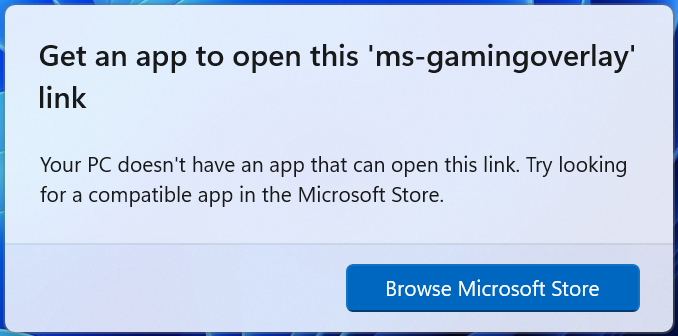
This was because Windows had detected a game had been loaded and started to invoke XBox Game features - such as the Game Bar and the ability to record video. However the PC was locked down through policy and these features were unavailable. Clicking on the "Browse Microsoft Store" link wouldn't work because the Windows Store was removed by policy.
This article helped.
Creating the DWORD registry key
HKEY_CURRENT_USER\SOFTWARE\Microsoft\Windows\CurrentVersion\GameDVR\AppCaptureEnabled
and setting the value to 0 fixed it.
As well as the normal user,group,all file permissions, my FreeBSD server had additional ACLs that were preventing the NFS client from accessing files.
To solve this, use setfacl:
setfacl -bn *
I had a mosquitto image running in Docker, with a bind mount:
Before I ran the container: I created the source folder and set the owner to pi:
Yielding the following permissions
drwxr-xr-x 5 pi 1883 4096 Feb 19 20:14 mosquitto
On running the container the folder changes permissions:
drwxr-xr-x 5 1883 1883 4096 Feb 19 20:14 mosquitto
Debugging the container:
docker exec -it mosquitto /bin/sh
and checking the users:
sudo nano /etc/passwd
It can be seen that UID 1883 is the mosquitto user:
mosquitto:x:1883:1883:mosquitto:/var/empty:/sbin/nologin
